

Overview
To access data from our datasets on BigQuery, you’ll need a Google Cloud Platform (GCP) account and an invitation from our team. If you haven’t been in touch with us yet, please reach out to us at sales@tokenterminal.xyz to request access. Once you’ve signed up and received access, navigate to BigQuery, where you’ll find the SQL interface. Below, we’ve provided a detailed, step-by-step guide to help you access our datasets.Video Walkthrough
Steps for adding a Token Terminal dataset in BigQuery
- Navigate to console.cloud.google.com/bigquery
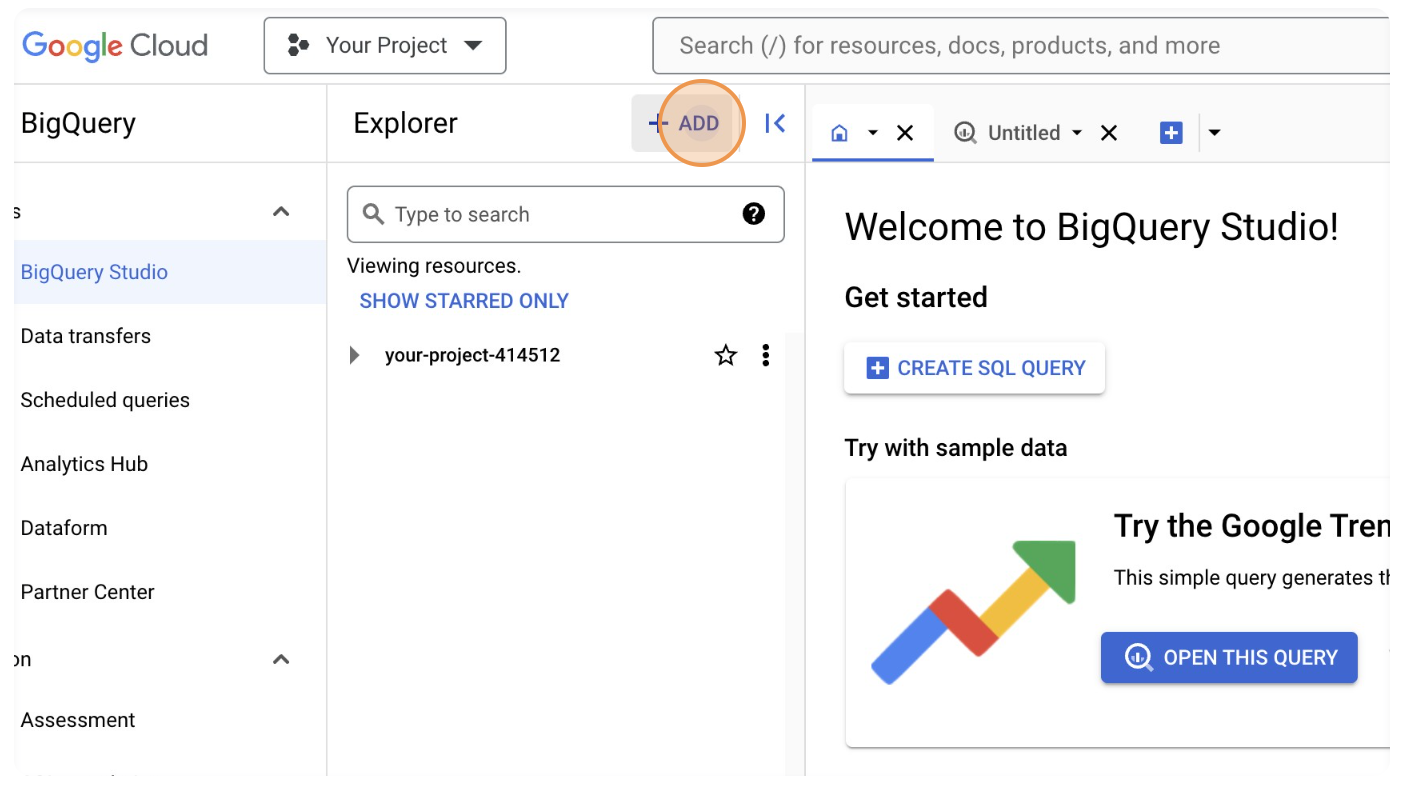
- Click on “ADD”.
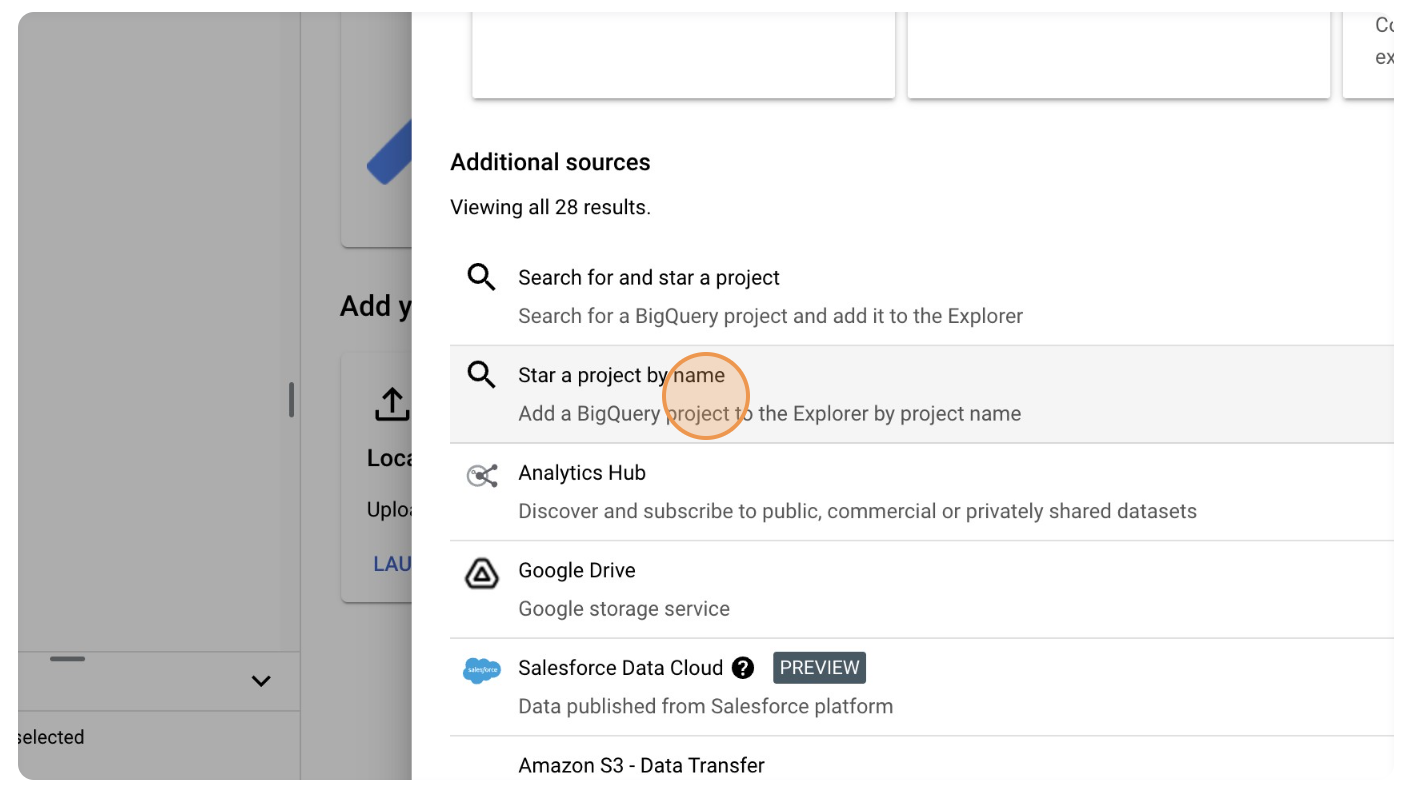
- Click on “Star a project by name”.
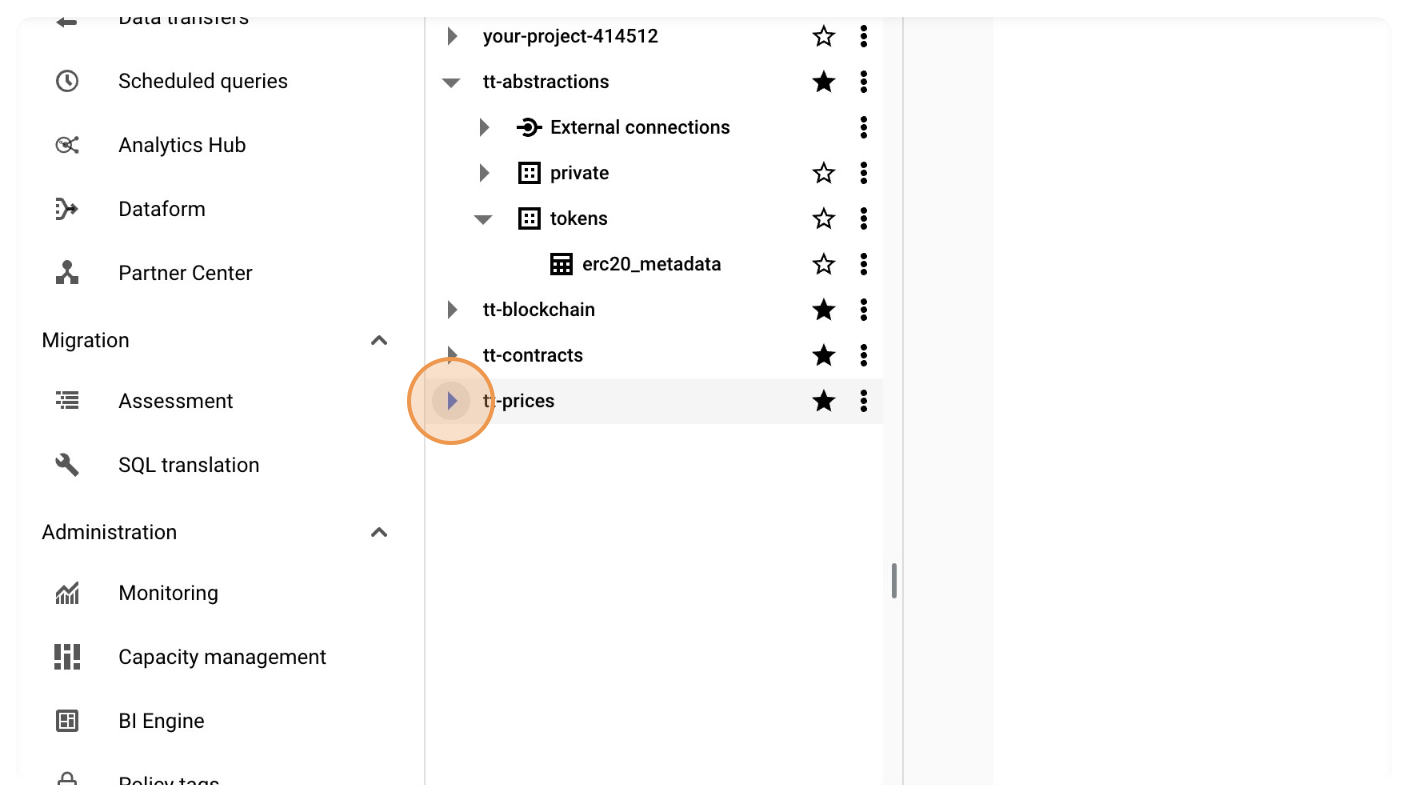
- Insert the project (data table) name. The four project names are
tt-contractstt-blockchaintt-abstractionstt-prices
BigQuery Syntax Guide
Check out the official BigQuery syntax guide for more information on how to use the platform’s SQL implementation.